How I vibe-coded a compliance training tool in two days
In a prior post, I described how a lawyer with no coding background built a third-party risk management tool with an AI planning assistant and an AI coding agent, and why the first build took two weeks of evenings. This post is the sequel, and it's mostly pictures: the second tool, a compliance training register, built across two days with almost no involvement from me once the brief was written.
Same three roles as before – me, a planning assistant (Claude in its desktop app) and a coding agent (Claude Code, in Terminal on my laptop). Here's what each step actually looked like.
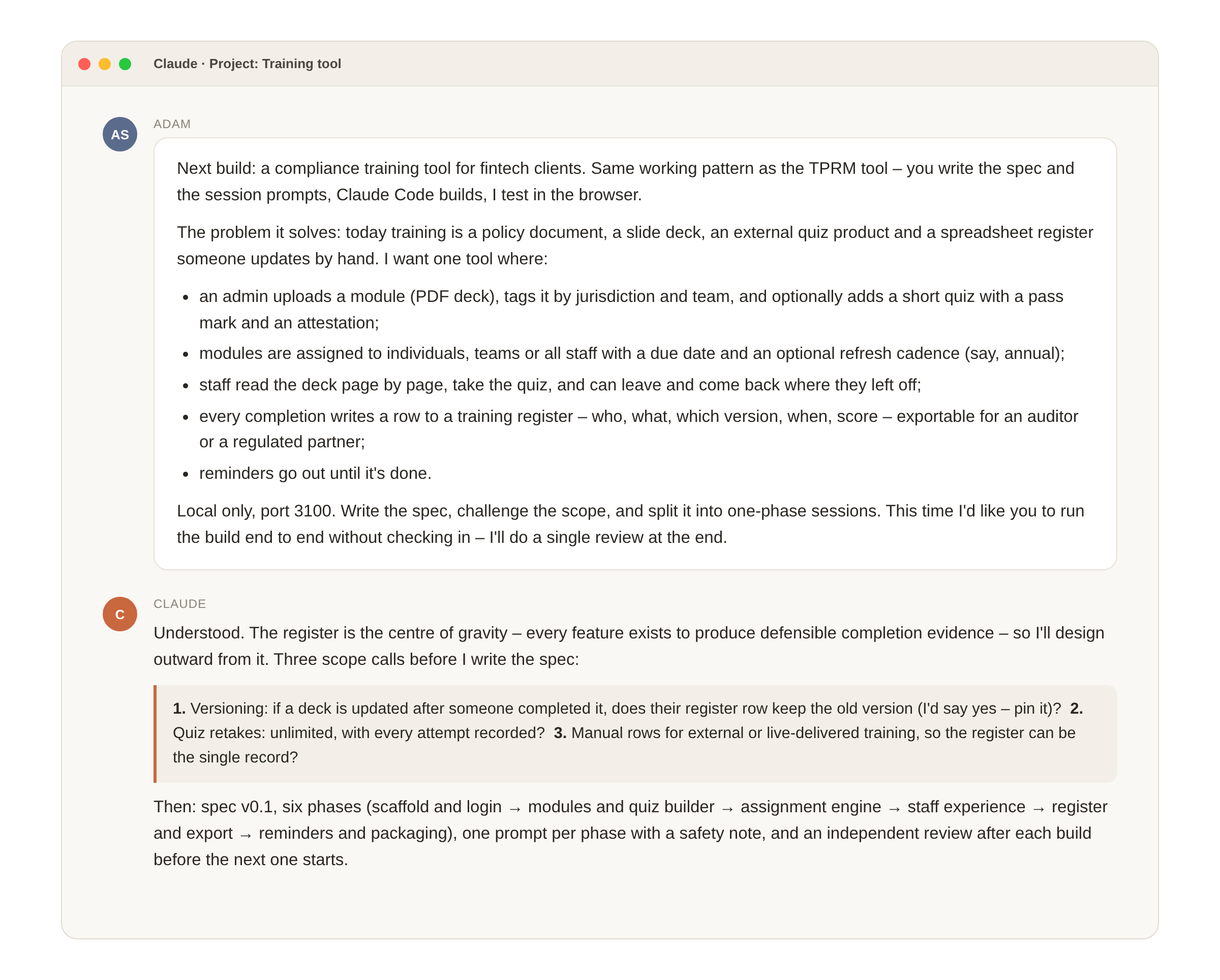
1. The brief
Everything starts with a plain-English description of the problem. Not features – the problem. Training in most fintechs is a policy document, a slide deck, an external quiz product and a spreadsheet register someone updates by hand, and the register is the thing an auditor or a regulated partner actually asks for.
2. The spec and the plan
The planning assistant turned the brief into a written specification – users and roles, modules and versions, assignment rules, the staff experience, the register fields, reminders – and split the build into six phases. The spec is the contract: the coding agent re-reads it at the start of every phase, and any change I wanted went into the spec before it went into the code.
Then it ran the build. Each phase was one prompt to the coding agent, followed by an independent review pass by the planning assistant before the next phase started.
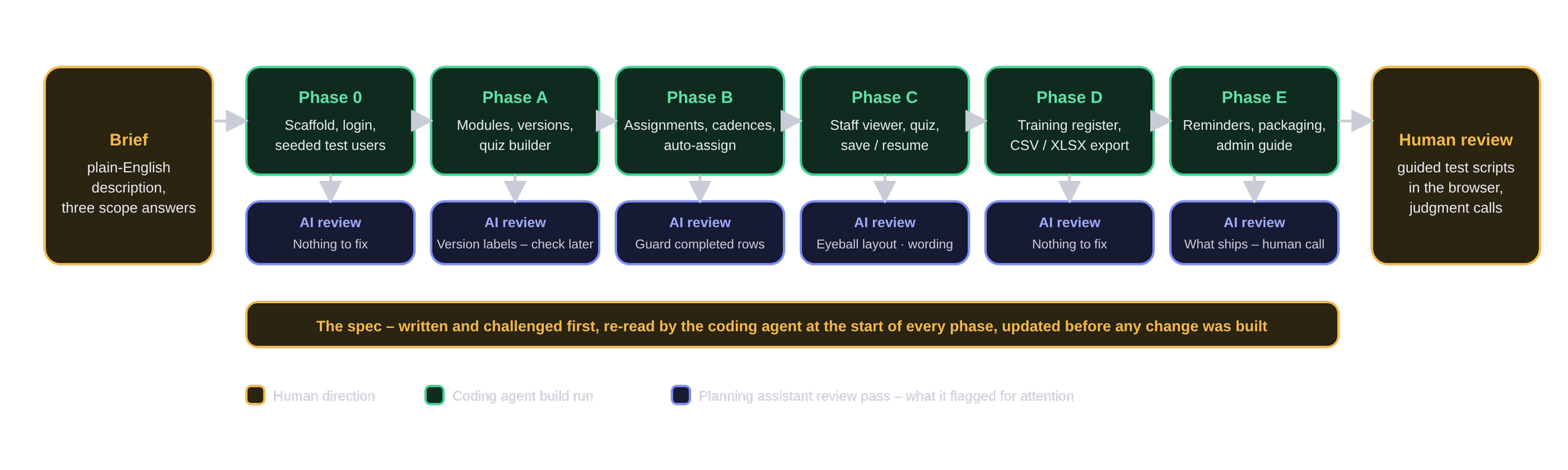
3. What Terminal actually looks like
This is the part people imagine as intimidating. It isn't, mostly because the coding agent narrates in plain English and I never had to read the code. Each prompt carried the same standing rules – I'm not a developer, sensible defaults, fix your own failures, commit as you go, keep the app runnable – and a scope fence: build this phase only, don't touch the next one. The Terminal screen might look like a foreign language to a lawyer, but the AI coding agent did the work after I pasted the prompt the AI planning agent prepared.
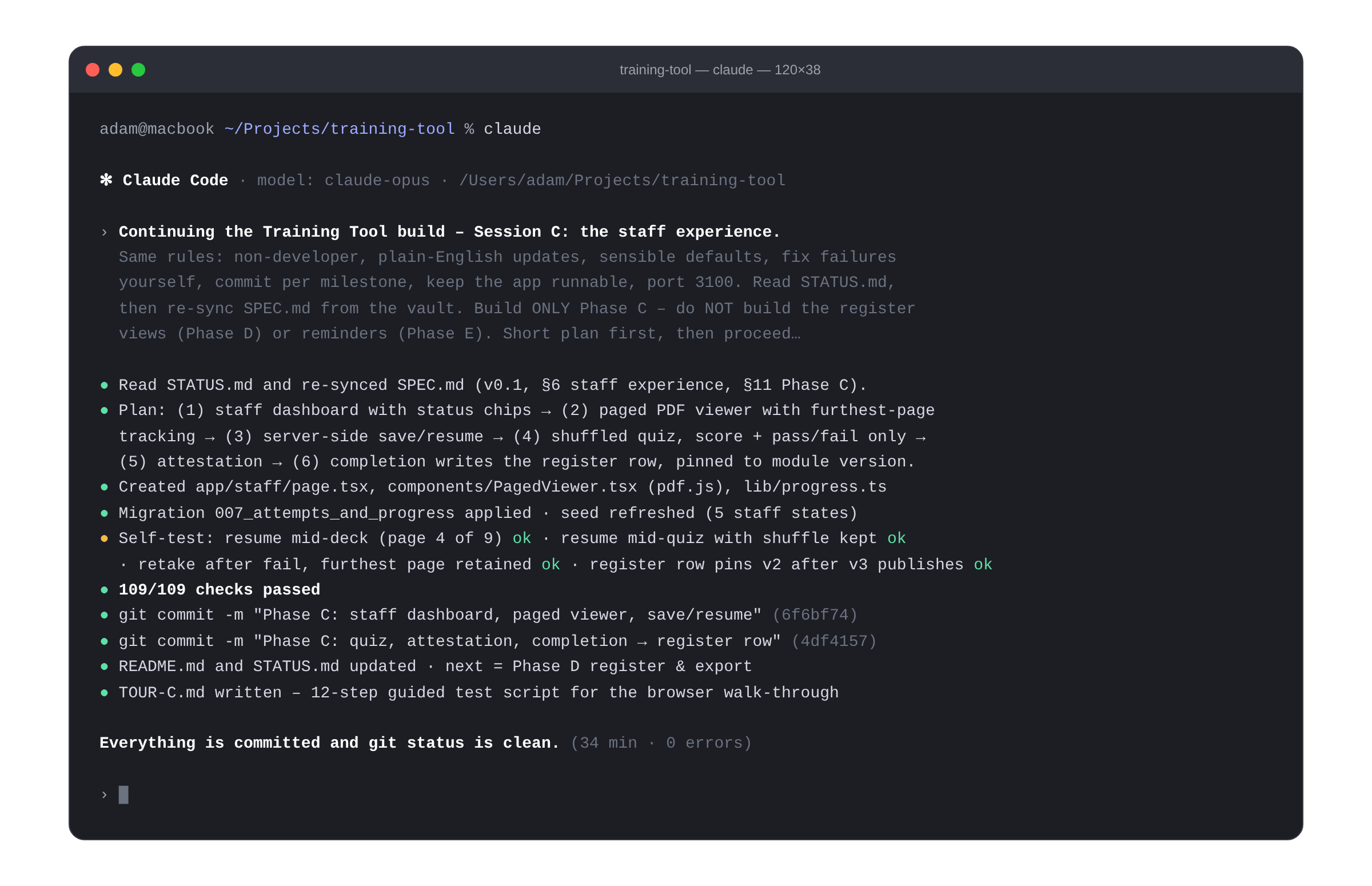
4. The tool – admin side
What came out the other end. The admin sees modules with their jurisdiction tags, who they apply to, whether there's a quiz, the refresh cadence, and completion at a glance. Publishing a new version requires a reason, and older completions stay pinned to the version the person actually read.
5. The tool – staff side
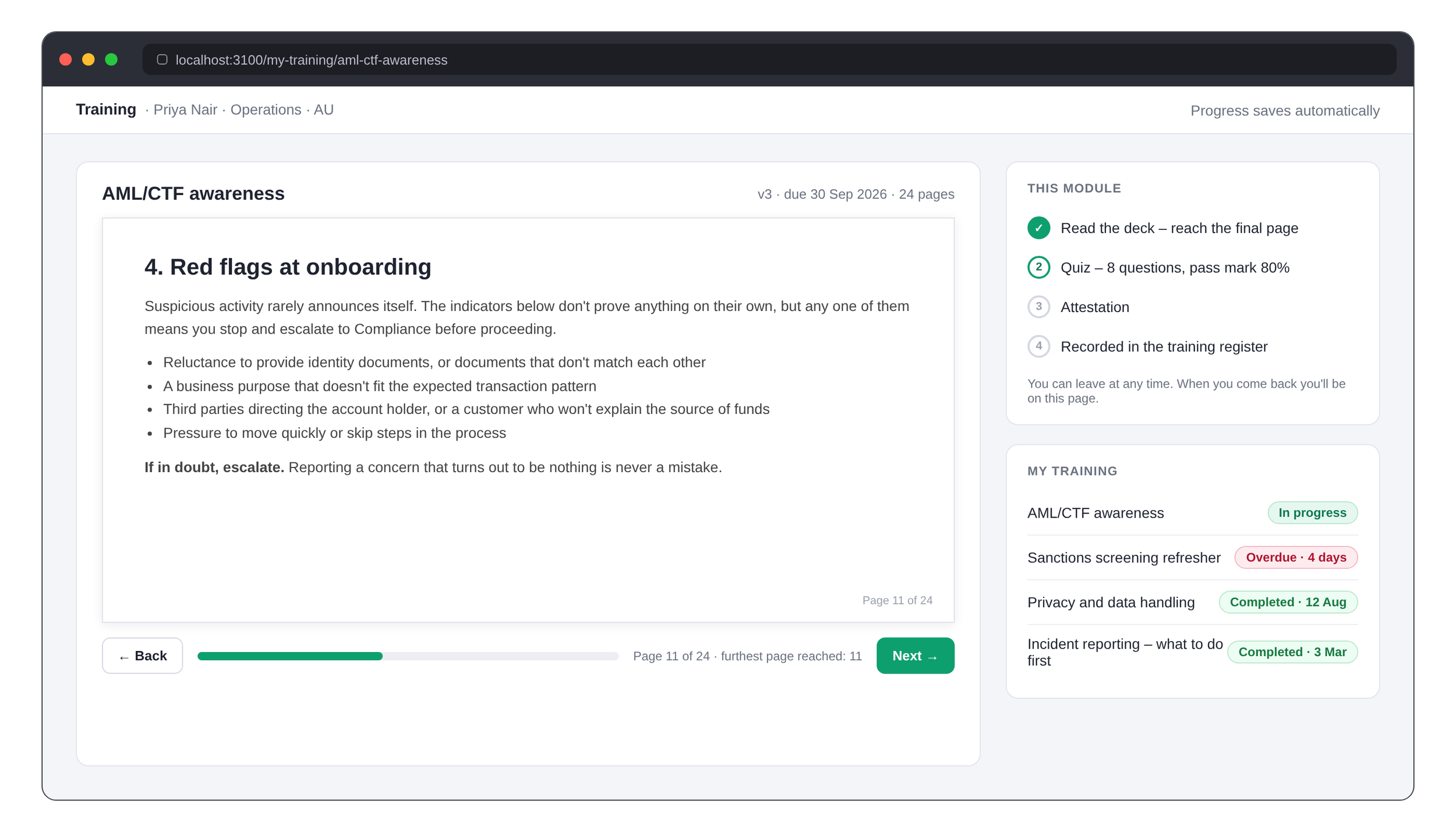
Staff get a quiet dashboard and a page-by-page reader. Progress saves itself: leave mid-deck or mid-quiz and you come back to the same page. The quiz shuffles questions and options on every attempt and shows a score and pass/fail only – never the answer key. A failed quiz simply leaves the module open for another go, and every attempt is recorded.
6. The register
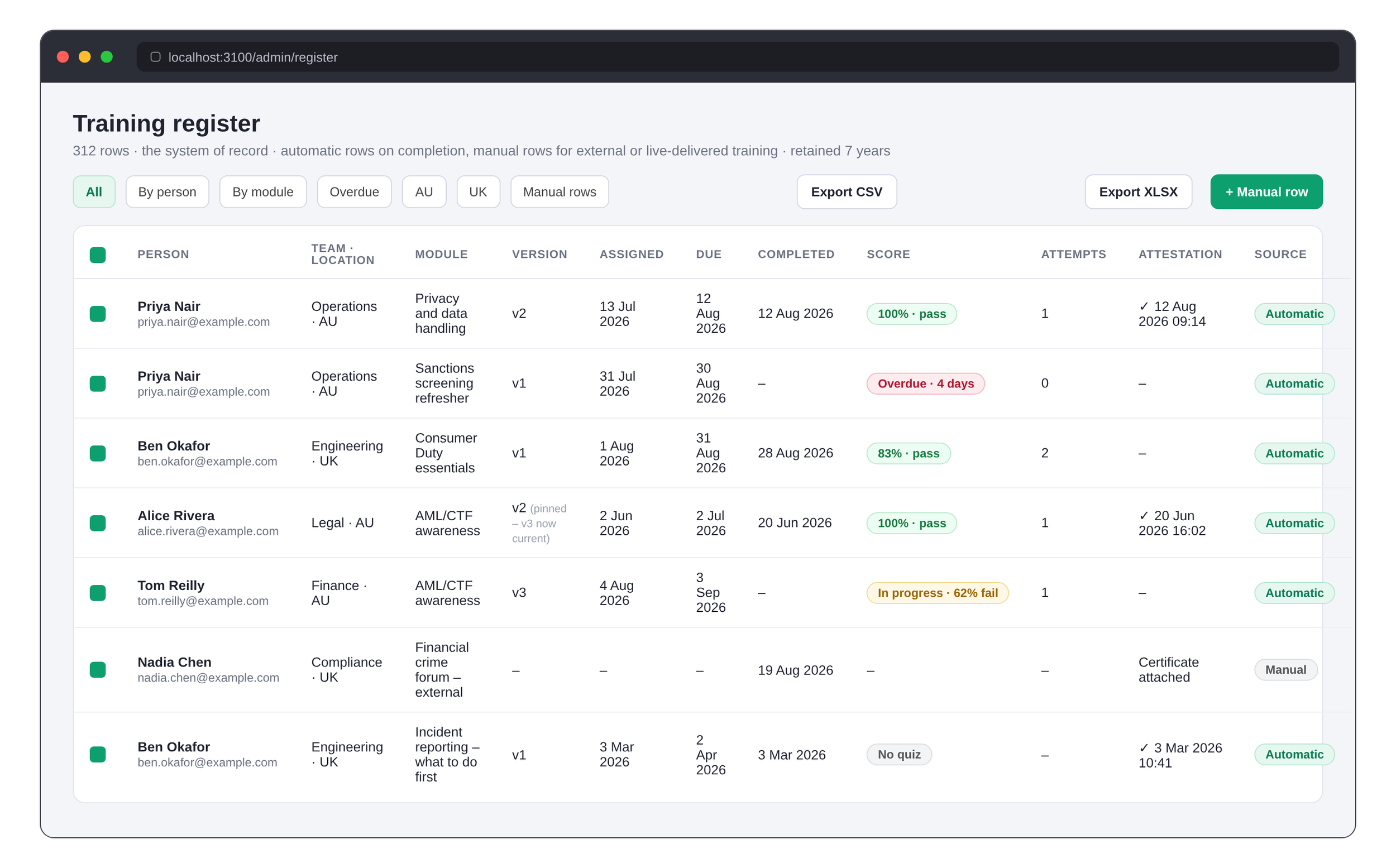
Every completion writes a row automatically: person, team, location, module, the version they read, assigned and due dates, completion date, score, attempts, and the attestation wording with a timestamp. Admins can add manual rows for external or live-delivered training, with a certificate attached, so the register can be the firm's single training record. Filter it, select rows, export to CSV or Excel – what you selected is what you get.
What I actually did
Wrote the brief. Answered three scope questions. Approved the defaults. Said "run it to completion and I'll review once at the end." Then, at the end, walked through the guided test scripts in a browser and kept a list of judgment calls for later – the things the AI put back to me rather than deciding, like whether a manager role belongs in this or the next version of the tool, and how long the register should be retained.
That last list is the real work, and it's legal and compliance judgment, not engineering. The building took the AI about three hours of run time spread over two days. The thinking took me longer, and it should.
The caveats, briefly
Everything from the previous post still applies. This tool runs on my laptop, on fictional data, with nothing internet-facing. Before it goes anywhere near a client's staff and a real training record it needs hosting, access control, a security review, a data-protection assessment and support terms – and if you're an employee wanting to do this inside your own firm, the Security team is the first conversation, not the last.
But the shape of what's possible is clear enough. A defined internal process, written down precisely, can become a working tool in days. The scarce skill is the writing-down. If your team has a training register, a third-party register or an incident log living in a spreadsheet, that's usually where to start – and I'm happy to talk about what it would take.
This post describes an internal tool built for FLC's own use and evaluation. The screens shown are illustrative mock-ups; all names and figures are fictional. It is not legal advice, and nothing in it is a recommendation to deploy AI-built software in a regulated environment without appropriate technical and legal review.